
Introducing AB Office
Launching April 22, 2026
We are excited to introduce AB Office, the new home for your business banking and payment tools. Formerly known as Cash Management, AB Office brings your services into a streamlined, more connected experience within online banking. As part of this transition, you will see workflow improvements, expanded alert options, easier user management, and a more modern navigation and security experience.
What’s Changing
While the name and interface are changing, your day-to-day experience will remain familiar. You will continue to have access to the same services, with improvements designed to make them easier to use and more efficient.
All your services in one place: Instead of launching into a separate Cash Management platform, eligible services are now available directly within online banking. Depending on your permissions, payment services may appear individually in the left-hand menu or within the Payments menu.
User management just got easier: Security Officers and Administrators can add, edit, and remove users, update permissions, unlock users, and send password reset links directly from My Profile > Manage Business > Manage Users.
Now mobile-friendly: Most payment activities and related business banking tasks can now be completed through the mobile app.
More alerts, more visibility: Users can enroll in new alert types related to ACH batches, wires, recurring transactions, and account changes through their personal settings.
Simplified, stronger security: Security questions are going away, and all business users will use an authenticator app for login verification and certain high-risk actions. Users may continue using Symantec VIP or choose another reputable authenticator app.
Login Security
| Important: All business users will need an authenticator app for multi-factor authentication at login. The same authentication method will also be used to verify certain security-sensitive actions. Users who have previously been utilizing the Symantec VIP app may choose this option at login to continue to use that, or you can choose another reputable authenticator app. |
|---|
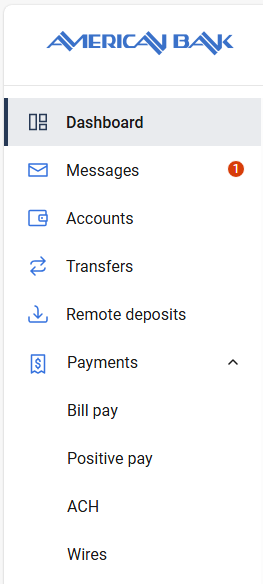
Where to Find Your ToolsYour navigation may look slightly different depending on which services you use. Customers with multiple payment services may see ACH, Wires, Positive Pay, and Bill Pay grouped under the Payments menu. Customers with only one payment service may see that service listed as its own menu item.
|
 |
|---|
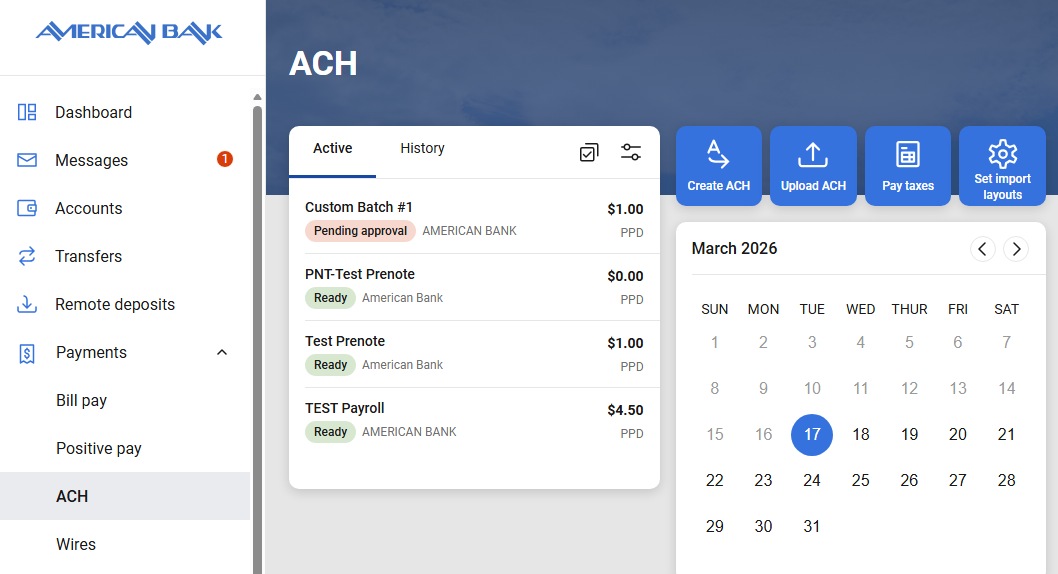
ACH Module
- Previous batch templates and import layouts from Cash Management will carry over.
- Users with dual approval workflows can now mark an ACH batch as Pending, which can trigger the ACH Batch Pending Approval alert for users who have self-enrolled in that alert via their Personal Settings.
- Recurring ACH is now available, allowing batches to be scheduled on a recurring basis instead of only as one-time transactions.
- Security Officers and Administrators must enable the Recurring ACH permission for each user who should have access, including themselves.
- Recurring ACH batches will process two days before the scheduled effective date, with batches scheduled for non-processing days processing before the effective date. Scheduled recurring batches process at 6:00 a.m. Mountain Time.
- Users can self-enroll in alerts for recurring ACH events such as expiration or failure to initiate in their Personal Settings.
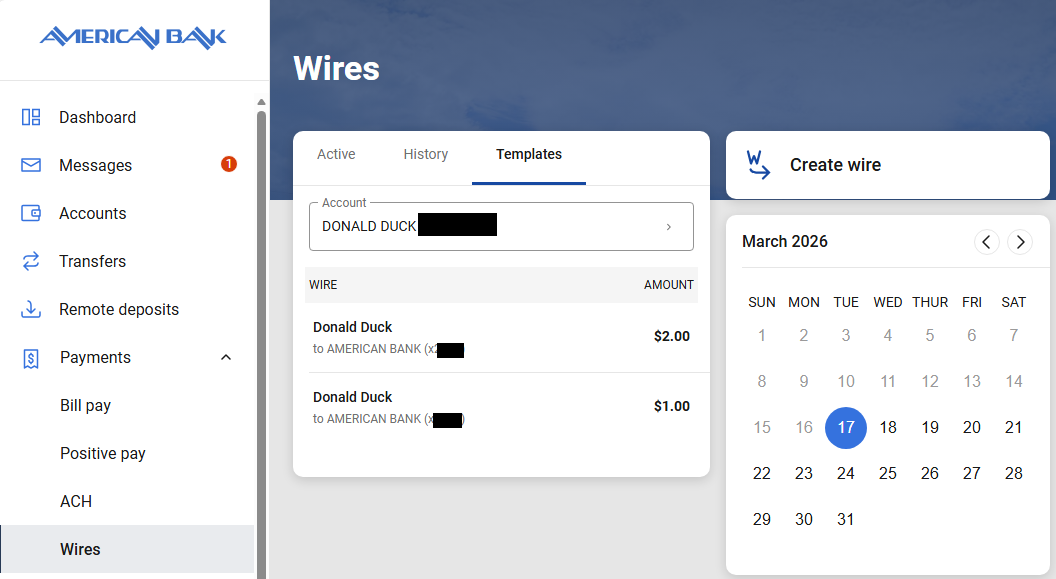
Wires Module
- Electronic wire PINs are being replaced by verification through the new authenticator app workflow.
- Users will see three primary tabs: Active, History, and Templates.
- Existing recurring wire templates built in Cash Management will carry over to AB Office.
Bill Pay Module
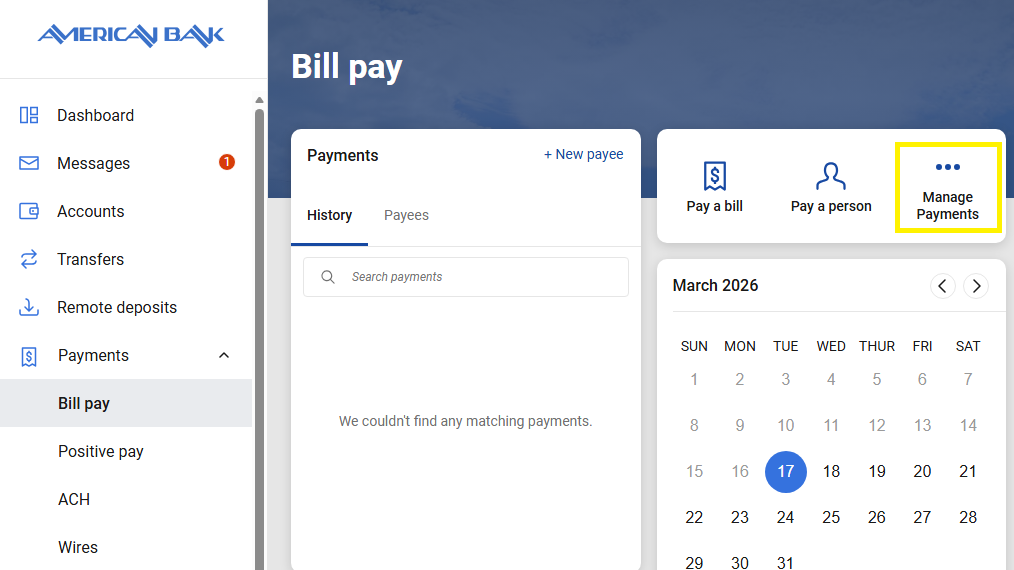
- Users enrolled in Business Bill Pay will access the module from the main menu or under the Payments tab, and then can access the full Bill Pay dashboard by choosing Manage Payments.
- Self-enrollment available: Businesses can now enroll in Business Bill Pay directly within AB Office. A user with the Admin role must enroll first, and then permissions for other user roles are enabled by default. Admins should adjust access for Users and Viewers as appropriate.
Positive Pay Module
- As part of our transition to enhanced digital banking services, Positive Pay is currently supported across multiple platforms with varying workflows. Because functionality and setup vary depending on the version your business is enrolled in, detailed step-by-step instructions are not included in the AB Office User Guide.
- To request a user guide specific to your Positive Pay service, please contact the AB Office team at ABoffice@americanbankmontana.com. We’re happy to help ensure you have the correct information and support.
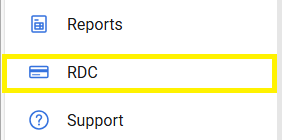
Remote Deposit Capture ModuleUsers enrolled in Remote Deposit Capture will access the software more directly from online banking. They can simply select the RDC menu item for quicker access with fewer clicks.
|
 |
|---|
Resources and Support
| User Guide | AB Office User Guide |
| Email Support | ABoffice@americanbankmontana.com |
FAQs
What is AB Office?
AB Office is the new name for our Cash Management services. It includes the same tools you use today, now with an updated interface and improved experience.
Why is Cash Management being renamed to AB Office?
This update reflects enhancements to the platform and aligns with our broader digital banking experience. While the name is changing, the core services remain the same.
Will my login credentials change?
No. You will continue to use your existing username and password, but if you are currently using text or phone call for your 2-Factor Authentication, you will be prompted to switch to an Authenticator App. Existing users of Symantec VIP may utilize that, or you may choose your own Authenticator App.
Where do I access AB Office?
You will continue to access these services through online banking, and your business banking services will now appear in the main menu.
Will my templates, users, and permissions carry over?
Yes. All existing users, permissions, templates, and recurring Bill Pay transactions will remain unchanged.
Are any services being removed or added?
No services are being removed. AB Office includes the same capabilities you currently use, with improvements to usability and performance. You may notice some feature enhancements as noted in the service module sections above.
Will ACH, wires, and other transactions work the same way?
Yes. Core workflows will remain consistent, though you may notice some updates to layout or navigation.
When is this happening?
The transition to AB Office will take place on April 22, 2026.
Will there be any downtime?
We do not expect any significant service interruptions during normal business hours. However, we recommend completing time-sensitive transactions before the upgrade window whenever possible.
What will look different?
You’ll notice an updated interface and navigation designed to improve usability. While the look may change, the overall structure will remain familiar.
Will I need training to use AB Office?
Most users should be able to transition easily. The platform is designed to feel familiar, with improvements to make navigation more intuitive. However, we’ve developed a detailed user guide for your convenience, and our bankers are available to help as well.
Do I need to do anything to prepare?
No action is required. Your transition to AB Office will happen automatically. However, we encourage Security Officers and Administrative Users to take this opportunity to review your authorized users and permissions to ensure they are up-to-date and accurate.
Who should I contact if I have questions or issues?
Please contact our team for assistance:
(800) 255-7911
ABoffice@americanbankmontana.com
